
MCP Servers: The Death of the “Blind” AI
We’ve all been there: asking a brilliant AI like Claude or ChatGPT a question, only to have it say, “I don’t have access to your files” or “My data is only current up to 2023.” It feels like having a world-class assistant who is locked in a dark room.
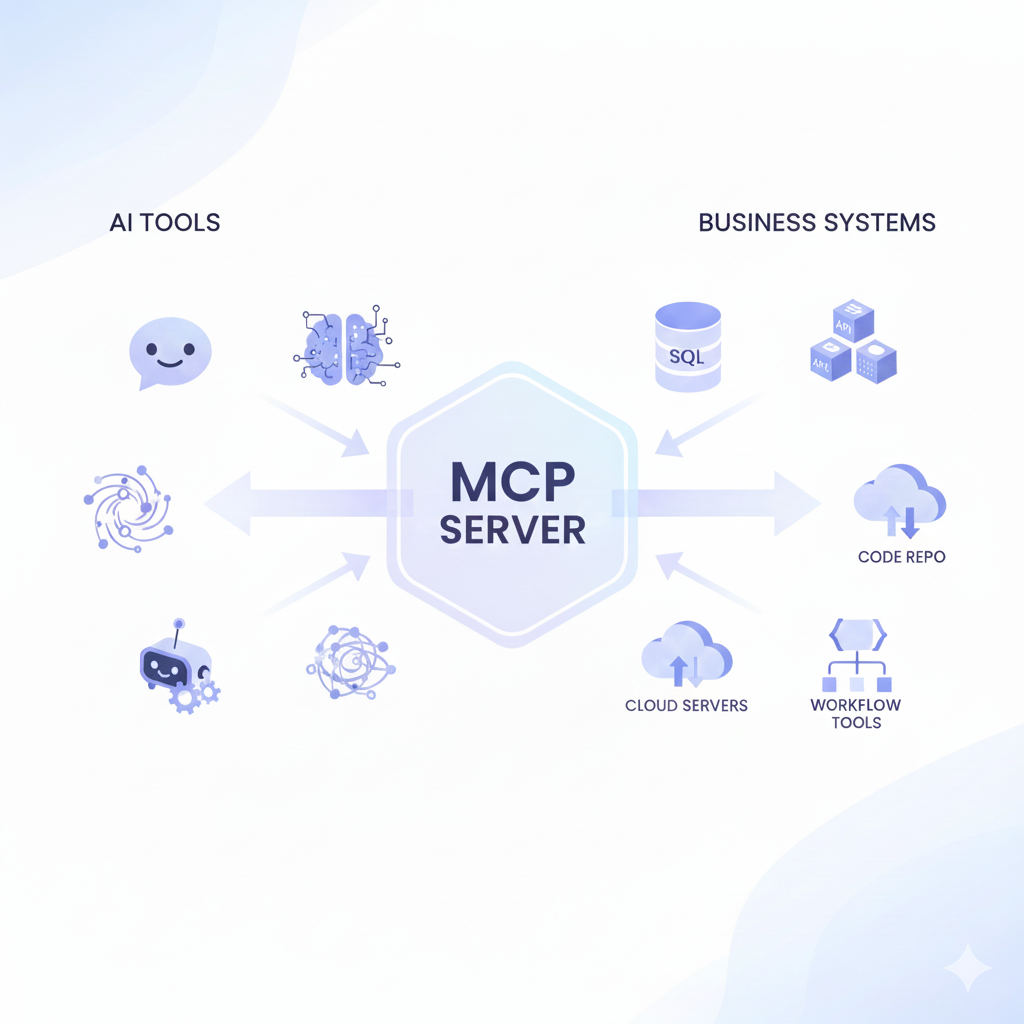
The MCP (Model Context Protocol) servers has changed the game. It is the “USB-C for AI,” a universal connector that finally lets your AI tools see, read, and interact with your personal data and professional apps.
If you want to move from “chatting” to “executing,” here are 7 simple ways to supercharge your AI tools today with MCP servers.
What is an MCP Server? (The “Explain Like I’m 5” Version)
Most AI models are trained on data that is months or years old. They live in a digital “bubble.”
- Without MCP: You have to upload every file manually.
- With MCP: Your AI has a direct “secure phone line” to your computer or your favorite apps.
[Your AI Tool (Claude/Cursor)] <--> [MCP Client] <--> [MCP Server] <--> [Your Data/Files/Apps]
Real-World Examples: How MCP Servers Simplify Everyday
1. Talk Directly to Your Local Files
Stop the “Upload File” dance. By using a Filesystem MCP Server, your AI can browse your local folders.
- Example: Ask Claude, “Find the budget spreadsheet in my ‘Projects’ folder and summarize the expenses.”
- Pro Tip: Use this for organizing messy desktops or searching through thousands of notes in seconds.
2. Research Like a Pro with Brave Search
Most AIs have a “cutoff date” for knowledge. The Brave Search MCP gives your AI real-time access to the live web.
- Example: “What are the top-trending AI tools released in the last 24 hours?”
- Why it’s better: It bypasses outdated training data and gives you citations you can trust.
3. Manage Your Coding Repos (GitHub Integration)
For the builders, the GitHub MCP Server is a lifesaver. It allows the AI to read your code, check open issues, and even propose pull requests.
- Example: “Look at my latest repo and tell me why the login function is failing.”
4. Automate Your Productivity (Notion & Slack)
Imagine an AI that doesn’t just write a plan but puts it in your Notion workspace or sends it to your team on Slack.
- Real Use Case: “Summarize our Slack thread from today and create a task list in my Notion project board.”
5. SQL & Database Querying (No Code Needed)
You don’t need to know SQL to talk to your data. Use a Postgres or MySQL MCP to turn your database into a conversational partner.
- Example: “How many new users did we get in New York last week?”
- Human Touch: This is a “game-changer” for small business owners who aren’t tech-savvy.
6. Browser Automation with Playwright
Need to grab data from a website that doesn’t have an API? Playwright MCP allows your AI to “see” and “click” through web pages like a human.
- Example: “Go to this flight booking site and find the cheapest price for London to Paris.”
7. Memory MCP servers enables Long-Term Memory Extension
Ever get frustrated when an AI “forgets” who you are in a new session? Memory MCP Servers give your AI a persistent “brain” that stores your preferences, style, and past projects across different chats.
How to Get Started (Easy Setup for MCP servers)
- Download a Host: Most people start with Claude Desktop or Cursor.
- Add a Server: Go to your settings (Developer tab) and paste the server’s command from the Official MCP GitHub.
- Chat: You’ll see a “Tools” icon pop up. You’re now officially using a connected AI!
Please Contact Us to help you with this setup.
Frequently Asked Questions (FAQs)
Q1: Is it safe to let AI access my local files?
A1: Yes! You choose exactly which folders the MCP server can “see” in your configuration file. It’s a “local-first” protocol, meaning your data stays under your control.
Q2: Does it cost money?
A2: Most core MCP servers (like Filesystem or GitHub) are open-source and free. You only pay for the AI subscription you are already using (like Claude Pro).
Q3: Do I need to be a coder?
A3: Not anymore! While it started for developers, tools like the MCP Installer and easy-to-copy JSON configs make it accessible for everyone.

Pingback: AI Investments Ignite Infosys’ Historic Stock Rally
Pingback: MCP Servers for AI Agents: My Productivity Breakthrough